Smart Office Fundamentals
Smart office technology has evolved from luxury amenity to operational necessity in NYC’s competitive business landscape, where companies leveraging integrated technology report 25% higher productivity and 30% reduced operational costs. The convergence of IoT sensors, cloud computing, and artificial intelligence creates intelligent environments that adapt to user needs, optimize resource consumption, and enhance collaboration across distributed teams.
At its core, smart office design integrates disparate systems—lighting, HVAC, security, and communication—into unified platforms accessible through single interfaces. This integration eliminates the traditional silos that create inefficiency and user frustration. Instead of managing dozen separate systems with different passwords and protocols, facility managers control entire environments through centralized dashboards providing real-time insights and predictive analytics.
The business case for smart office technology in Manhattan is compelling. With average office rents at $82 per square foot and energy costs adding $8-12 per square foot annually, even modest efficiency improvements generate substantial returns. Smart building systems reduce energy consumption by 20-30% through occupancy-based controls and optimized scheduling. Space utilization improvements of 15-25% effectively create additional capacity without expansion costs.
Employee experience improvements drive additional value beyond operational savings. Microsoft’s workplace study reveals that employees in technology-enhanced offices report 31% higher engagement scores and 23% greater satisfaction with their work environment. In NYC’s talent war where replacement costs average $25,000 per professional position, improved retention from better workplace technology delivers measurable ROI.
At DIG Interior Design Solutions, we approach technology integration as fundamental to spatial design rather than afterthought additions. Our projects from Financial District trading floors to Brooklyn creative studios demonstrate how thoughtful technology implementation enhances rather than complicates workplace experiences. Principal Deanna D’Addario Martinez brings decades of experience balancing cutting-edge capabilities with practical usability.
Video Conferencing Solutions
Video conferencing has transformed from occasional communication tool to daily operational requirement, with NYC offices averaging 4.2 video meetings per employee daily. Successful implementation requires purpose-built spaces, professional equipment, and seamless integration preventing the technical difficulties that waste 15 minutes per meeting on average.
Room Design and Acoustics
Purpose-built video conferencing spaces address the unique requirements of hybrid meetings where some participants are remote. Optimal room dimensions maintain 1.5:1 width-to-depth ratios preventing echo while ensuring all participants appear on camera. Six-person rooms require minimum 140 square feet; twelve-person spaces need 250 square feet including circulation and equipment space.
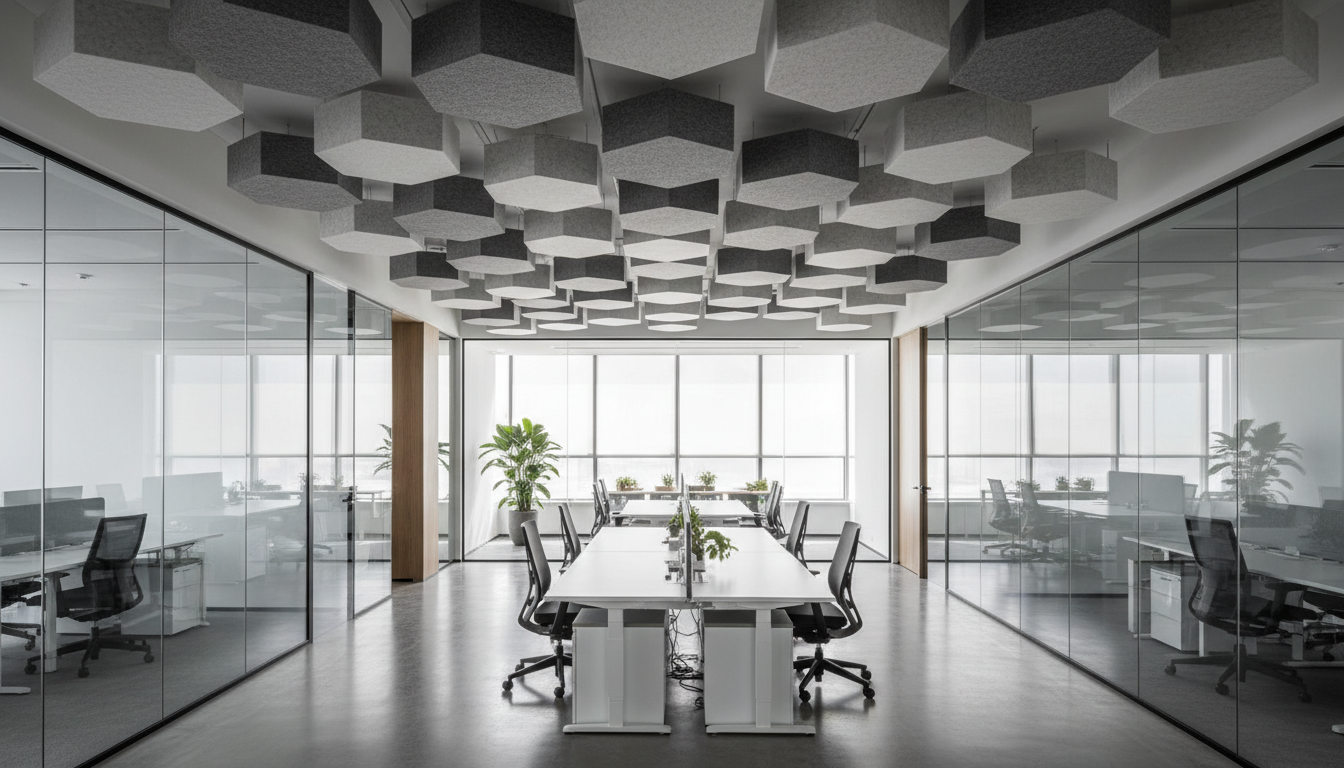
Acoustic treatment proves critical for clear communication. NRC-rated ceiling tiles absorbing 0.75 or higher prevent echo that degrades remote audio quality. Fabric-wrapped panels on walls reduce reverberation to optimal 0.4-0.6 seconds. Double-glazed windows minimize street noise—essential in Manhattan where ambient noise averages 70 decibels. Strategic white noise at 45-48 dBA masks conversations preventing eavesdropping while maintaining speech clarity.
Camera and Display Systems
Professional PTZ (pan-tilt-zoom) cameras with AI tracking ensure remote participants see whoever’s speaking without manual adjustment. Dual-camera setups capture both participants and whiteboards, critical for collaborative sessions. 4K resolution provides clarity for reading shared documents, though bandwidth requirements increase 4x compared to 1080p.
Display configurations balance visibility with room aesthetics. Single 75-85″ displays suit rooms up to 12 people when mounted at 42″ center height. Dual 55″ displays allow simultaneous content sharing and participant viewing. Ultra-wide displays eliminate bezels disrupting sight lines. Our Midtown conference rooms achieve 95% user satisfaction through thoughtful display placement ensuring everyone has clear views regardless of seating position.
Audio Excellence
Ceiling-mounted microphone arrays with beamforming technology provide superior audio pickup without table clutter. These systems identify speaker location, focusing pickup patterns while rejecting ambient noise. Dante or AVB networking allows multiple microphones to work together, ensuring consistent audio levels as participants move around rooms.
Speaker placement critically impacts intelligibility. Ceiling speakers distributed evenly prevent dead zones while maintaining consistent volume. Soundbars work for smaller rooms but create directional bias in larger spaces. Acoustic echo cancellation (AEC) processing eliminates feedback between microphones and speakers—essential for natural conversation flow.
IoT Integration for Offices
Internet of Things technology transforms static offices into responsive environments that anticipate needs, optimize resources, and provide unprecedented operational insights. NYC offices implementing comprehensive IoT strategies report 35% reduction in facility management costs and 20% improvement in space utilization efficiency.
Sensor Networks and Data Collection
Occupancy sensors using passive infrared (PIR) or computer vision track real-time space usage with 95% accuracy. These insights reveal that typical Manhattan offices use meeting rooms only 40% of scheduled time, with 25% of bookings being no-shows. Armed with this data, companies right-size meeting spaces and implement booking policies reducing waste.
Environmental sensors monitoring temperature, humidity, CO2, and light levels ensure optimal comfort while minimizing energy consumption. When CO2 levels exceed 800 ppm in conference rooms, ventilation automatically increases preventing the drowsiness that reduces meeting effectiveness by 23%. Temperature variations beyond 2°F trigger HVAC adjustments maintaining comfort without occupant complaints.
Energy monitoring at circuit level identifies waste and optimization opportunities invisible to traditional building systems. Plug load sensors reveal that 30% of office energy consumption occurs after hours from devices left on. Automated shutoffs and smart power strips reduce this waste by 60% without impacting operations.
Intelligent Automation Systems
Building automation extends beyond simple scheduling to predictive optimization based on patterns and preferences. Machine learning algorithms analyze historical data predicting space needs, adjusting environmental conditions before occupants arrive. Conference rooms pre-cool before meetings based on attendee count from calendar integration.
Lighting systems adjust based on natural light levels, time of day, and occupancy patterns. Task lights activate when employees badge in. Circadian lighting shifts color temperature throughout the day supporting natural energy rhythms. Emergency lighting tests itself monthly during off-hours, eliminating manual compliance checks.
Complete office design services incorporate IoT infrastructure from project inception rather than retrofitting, ensuring seamless integration with architectural elements.
Cable Management & Infrastructure
Robust technology infrastructure forms the backbone of smart offices, yet poor planning creates rat’s nests of cables that impede maintenance, pose safety hazards, and constrain future flexibility. Strategic infrastructure design accommodates current needs while providing 40% excess capacity for future expansion without disruption.
Structured Cabling Systems
Category 6A cabling supports 10-gigabit speeds necessary for video conferencing, cloud computing, and future applications. While Cat6 costs 30% less, the bandwidth limitations necessitate replacement within 5 years as technology demands increase. Plenum-rated cables meeting NYC fire codes cost more but prevent toxic fumes during fires—non-negotiable for life safety.
Cable pathway planning prevents congestion and interference. Separate pathways for power and data maintain minimum 12-inch separation preventing electromagnetic interference. J-hooks every 4-5 feet support horizontal runs without sagging. Cable trays in ceilings organize bulk cabling while allowing easy additions. Vertical risers between floors require firestopping maintaining building compartmentalization.
Power Distribution Strategies
Modern workstations require 8-12 outlets supporting computers, monitors, phones, chargers, and personal devices. Desktop power modules provide convenient access while reducing under-desk clutter. Modular power systems in furniture allow reconfiguration without electrician involvement. USB-A and USB-C outlets eliminate adapter sprawl while providing device charging.
Dedicated circuits for high-draw equipment prevent overloading causing breaker trips. Each 4-person workstation group requires minimum two 20-amp circuits preventing daisy-chaining that creates fire hazards. Emergency circuits on building generators maintain critical systems during outages. UPS systems provide ride-through power preventing data loss during transitions to generator power.
Wireless Infrastructure Planning
WiFi 6E access points every 2,500 square feet ensure comprehensive coverage with minimal overlap causing interference. Ceiling mounting at 8-10 feet provides optimal coverage patterns. Directional antennas focus signals into specific areas rather than broadcasting uniformly. Heat mapping during commissioning identifies dead zones requiring additional access points or antenna adjustment.
5G cellular systems complement WiFi providing redundancy and supporting mobile devices without corporate network access. Distributed antenna systems (DAS) bring cellular signals into building cores where standard signals can’t penetrate. While costing $3-5 per square foot installed, DAS eliminates mobile dead zones frustrating employees and visitors.
Wireless Presentation Systems
Wireless presentation technology eliminates the cable hunting and compatibility issues that waste meeting time while enabling seamless collaboration between devices and locations. Professional systems supporting 4K resolution with sub-100ms latency create experiences indistinguishable from wired connections while providing superior flexibility.
Platform Selection and Compatibility
Enterprise wireless presentation systems must support diverse devices without requiring software installation that IT departments restrict. BYOD (bring your own device) compatibility encompasses Windows, Mac, iOS, and Android devices through multiple connection methods—Miracast, AirPlay, Google Cast, and proprietary protocols.
Cloud-based systems like Mersive Solstice or Barco ClickShare provide maximum flexibility with remote participation capabilities. On-premise solutions offer superior security for sensitive content but require local infrastructure. Hybrid approaches combine cloud convenience for general use with on-premise options for confidential presentations.
Network Architecture Requirements
Wireless presentation demands robust network infrastructure preventing pixelation and lag that distract from content. Dedicated VLANs isolate presentation traffic from general network congestion. QoS (Quality of Service) prioritization ensures video streams receive necessary bandwidth. 802.11ac Wave 2 or WiFi 6 provides sufficient capacity for multiple simultaneous 4K streams.
Security considerations require careful network segmentation. Guest presenters need access without corporate network exposure. Certificate-based authentication prevents unauthorized access while maintaining ease of use. Content encryption protects sensitive information during transmission. Screen key codes visible on displays provide simple security without complex passwords.
User Experience Optimization
Successful wireless presentation deployment prioritizes simplicity—if users can’t connect within 30 seconds, they’ll request cables defeating the system’s purpose. Single-button hardware pucks eliminate configuration complexity. QR codes on displays launch connection apps automatically. Digital signage displays show connection instructions when not actively presenting.
Multi-source collaboration features distinguish professional systems from consumer solutions. Four participants can share screens simultaneously for comparison. Moderator controls prevent presentation hijacking. Annotation tools allow real-time markup without requiring specific software. Recording capabilities capture presentations for later review or remote participants.
Hybrid workplace solutions leverage wireless presentation for seamless collaboration between office and remote participants.
Security & Access Control
Modern office security extends beyond traditional locks and cameras to encompass integrated systems protecting physical and digital assets while enhancing rather than impeding user experience. NYC offices face unique challenges from high-traffic buildings, diverse tenant populations, and sophisticated threat landscapes requiring comprehensive approaches.
Integrated Access Control Systems
Cloud-based access control eliminates traditional key management nightmares while providing granular control and detailed audit trails. Mobile credentials using smartphones eliminate lost keycards while providing two-factor authentication through biometric phone unlocking. Bluetooth and NFC technologies enable hands-free entry—critical when carrying coffee and laptops.
Role-based permissions automatically adjust access as employees change positions or departments. Temporary credentials for visitors expire automatically preventing unauthorized return visits. Integration with HR systems automatically revokes access upon termination. Elevator dispatch integration guides visitors to correct floors while preventing unauthorized floor access.
Anti-tailgating systems using optical sensors or weight detection prevent unauthorized following through secured doors. Mantrap entries for sensitive areas like server rooms ensure single-person entry. Time-based restrictions prevent after-hours access except for authorized personnel. Our Staten Island financial services projects implement bank-level security while maintaining welcoming environments.
Video Surveillance Evolution
AI-powered video analytics transform passive recording into active security monitoring. Facial recognition identifies authorized personnel while flagging unknown individuals for security attention. Behavior analysis detects unusual patterns—someone lingering near secured doors or removing equipment—triggering alerts before incidents occur.
4K cameras provide forensic detail for investigations while PTZ cameras track subjects automatically. Low-light cameras using infrared or thermal imaging maintain coverage in darkness. Edge storage in cameras provides redundancy if network video recorders fail. Cloud storage enables remote access for investigation while maintaining chain of custody for legal proceedings.
Cybersecurity Physical Integration
Physical and cybersecurity convergence recognizes that most data breaches involve physical access at some point. USB port locks prevent unauthorized device connection spreading malware. Screen privacy filters prevent shoulder surfing in open offices. RFID-blocking furniture prevents wireless credential theft. Secure printing requires badge authentication preventing sensitive documents from sitting in printer trays.
Network segmentation isolates building systems from corporate networks preventing IoT devices from becoming breach vectors. Regular penetration testing identifies vulnerabilities in integrated systems. Incident response plans coordinate physical and digital security teams. Employee training addresses social engineering tactics exploiting physical access to gain digital entry.
Environmental Control Systems
Intelligent environmental controls create comfortable, healthy, and efficient workplaces while reducing energy consumption by 25-35% compared to traditional systems. In NYC where Local Law 97 mandates aggressive emission reductions, smart environmental controls become compliance necessities rather than optional upgrades.
Smart HVAC Integration
Variable refrigerant flow (VRF) systems provide zone-specific temperature control eliminating the hot/cold disputes plaguing open offices. Each zone maintains independent setpoints based on occupancy, solar gain, and equipment loads. Machine learning algorithms predict thermal needs based on weather forecasts, occupancy patterns, and historical preferences.
Demand-controlled ventilation adjusts fresh air intake based on CO2 levels rather than fixed schedules. When conference rooms fill, ventilation increases maintaining cognitive performance. Empty spaces receive minimum ventilation preventing energy waste. Integration with booking systems pre-conditions spaces before meetings while setback temperatures save energy during vacant periods.
Heat recovery systems capture waste heat from server rooms and kitchens redistributing it to perimeter zones needing warming. Economizer modes use cool outside air for free cooling when conditions permit—particularly valuable during NYC’s spring and fall seasons. Fault detection diagnostics identify problems before comfort impacts occur or energy waste accumulates.
Intelligent Lighting Control
Daylight harvesting systems with photosensors continuously adjust artificial lighting maintaining consistent illumination levels. Perimeter fixtures dim when sunlight is abundant, brightening as clouds pass or sun angles change. Task tuning calibrates light levels for specific activities—higher for detailed work, lower for computer use.
Occupancy-based controls ensure lights operate only when needed but with intelligence preventing annoying shutoffs. Ultrasonic sensors detect minor movements keeping lights on for stationary workers. Vacancy sensing requires manual activation but automatic shutoff—ideal for storage rooms and private offices. Schedule-based overrides ensure lighting for security and maintenance regardless of occupancy.
Personal control apps allow individuals to adjust their immediate environment without affecting others. Color temperature preferences support individual circadian rhythms. Task lighting control reduces eyestrain from overillumination. Integration with computer activity maintains lighting for remote workers not triggering occupancy sensors.
Indoor Air Quality Management
Air quality monitoring and management systems address the health impacts of poor indoor environments that reduce cognitive performance by 15% and increase sick days by 35%. Multi-parameter sensors track PM2.5, VOCs, CO2, temperature, and humidity providing comprehensive environmental assessment.
Active response systems adjust ventilation, filtration, and humidity based on real-time conditions. MERV-13 filters remove viral particles when community transmission is high. UV-C disinfection in air handlers provides additional pathogen control. Bipolar ionization reduces airborne particles and odors without ozone generation.
Conference room optimization incorporates environmental controls ensuring meetings remain productive as rooms fill with participants.
Future-Proofing Technology Plans
Technology evolution accelerates exponentially, making five-year-old systems seem ancient. Future-proofing strategies minimize obsolescence while maintaining flexibility for emerging technologies without complete infrastructure replacement.
Scalable Architecture Design
Modular systems allow component upgrades without complete replacement. Software-defined infrastructure enables capability additions through programming rather than hardware changes. API-based integrations connect disparate systems through standard protocols surviving vendor changes. Microservices architecture allows individual function updates without system-wide impacts.
Infrastructure oversizing provides growth capacity without construction disruption. Installing 40% excess cabling prevents future pulls through congested pathways. Electrical panels with spare breaker spaces accommodate additional circuits. HVAC systems sized for maximum density support growth without equipment replacement. This 15-20% additional investment prevents 60-70% higher future modification costs.
Emerging Technology Readiness
5G private networks will enable new applications requiring ultra-low latency and massive device connectivity. Preparing infrastructure with fiber backhaul and distributed antenna mounting points allows rapid deployment when business cases emerge. Edge computing servers in telecom closets support real-time processing for AR/VR applications.
Artificial intelligence integration will transform from novelty to necessity within 24 months. Preparing data lakes aggregating sensor information enables AI training for predictive optimization. GPU-equipped servers support on-premise AI processing for sensitive applications. Natural language interfaces will control building systems through voice commands requiring microphone arrays and processing capability.
Augmented reality will revolutionize training, maintenance, and collaboration. Preparing 3D building models enables AR wayfinding and visualization. High-bandwidth wireless infrastructure supports AR headset streaming. Spatial computing anchors allow persistent AR content placement. While current applications seem limited, infrastructure preparation positions organizations as early adopters when breakthrough applications emerge.
Budget Planning for Tech
Technology integration typically represents 15-25% of total office renovation budgets, but delivers 40-50% of productivity improvements making it the highest ROI investment category. Strategic planning balances immediate needs with long-term capabilities while managing cash flow through phasing and financing options.
Capital vs. Operating Expenses
Traditional purchase models require substantial capital investment with 5-7 year depreciation schedules. A comprehensive technology upgrade for 10,000 square feet costs $300,000-500,000 including infrastructure, hardware, and software. While ownership provides control and potential tax benefits, rapid obsolescence risks stranding investments.
Subscription models shift technology from CapEx to OpEx, improving cash flow while ensuring continuous updates. Hardware-as-a-Service offerings include regular refresh cycles preventing obsolescence. Cloud services scale with business needs without overprovisioning. Monthly costs of $30-50 per employee seem high but include support, updates, and replacement—often lower than total ownership costs.
Phasing Strategies
Phase 1 typically addresses infrastructure—cabling, wireless, and power distribution—costing $15-25 per square foot. This foundation enables future phases without disruption. Phase 2 adds collaboration technology—video conferencing and presentation systems—at $10-15 per square foot. Phase 3 implements automation and IoT at $8-12 per square foot. This phasing spreads costs over 12-18 months while delivering incremental benefits.
Priority determination should focus on pain point elimination and ROI maximization. If poor video conferencing frustrates clients, prioritize those upgrades. If energy costs strain budgets, accelerate environmental controls. Employee surveys identify which technology gaps most impact productivity and satisfaction.
ROI Calculations and Justification
Productivity improvements provide the strongest ROI justification. Reducing meeting time by 15% through better technology saves 2 hours weekly per employee. At $50 hourly rates, this generates $5,200 annual value per person—recovering technology investments within 18-24 months.
Energy savings from smart building systems provide predictable returns. 25% reduction in $10 per square foot energy costs saves $2.50 per square foot annually. For 10,000 square feet, $25,000 annual savings justify $75,000-100,000 investments using 3-4 year payback criteria.
Space optimization through technology enables density increases or footprint reductions. Hot-desking supported by booking systems allows 1.5:1 employee-to-desk ratios. Avoiding 3,000 square foot expansion at $82 per square foot saves $246,000 annually—justifying substantial technology investment.
Risk mitigation value often exceeds direct returns. Security breaches average $250,000 for small businesses. Compliance violations trigger larger penalties. Technology preventing single incident pays for itself while protecting reputation. Insurance premium reductions from enhanced security provide additional financial benefits.
Get Tech Integration Guide customized for your NYC office requirements and budget parameters.
DIG Interior Design Solutions specializes in office technology integration throughout New York City. From Financial District trading floors requiring mission-critical reliability to Brooklyn creative studios demanding cutting-edge capabilities, we deliver smart workplace solutions that enhance productivity while ensuring practical usability. Principal Deanna D’Addario Martinez and our expert team bring decades of experience making technology work for people, not against them. Contact us to transform your office into an intelligent workplace.